The Photobooth Business OS

Everything your booth needs.

A Windows booth app to run the guest experience, and a web dashboard to run the business — payments, reports, galleries and your team, for every machine you own.

Business modes

One platform. Every business mode.

A self-photo studio running CAP*TURES

Photohouse

Photo shops and self-photo studios

  • Session-based service
  • DSLR + Multiple Templates
  • Payment & Coupon
  • Multi-Printer
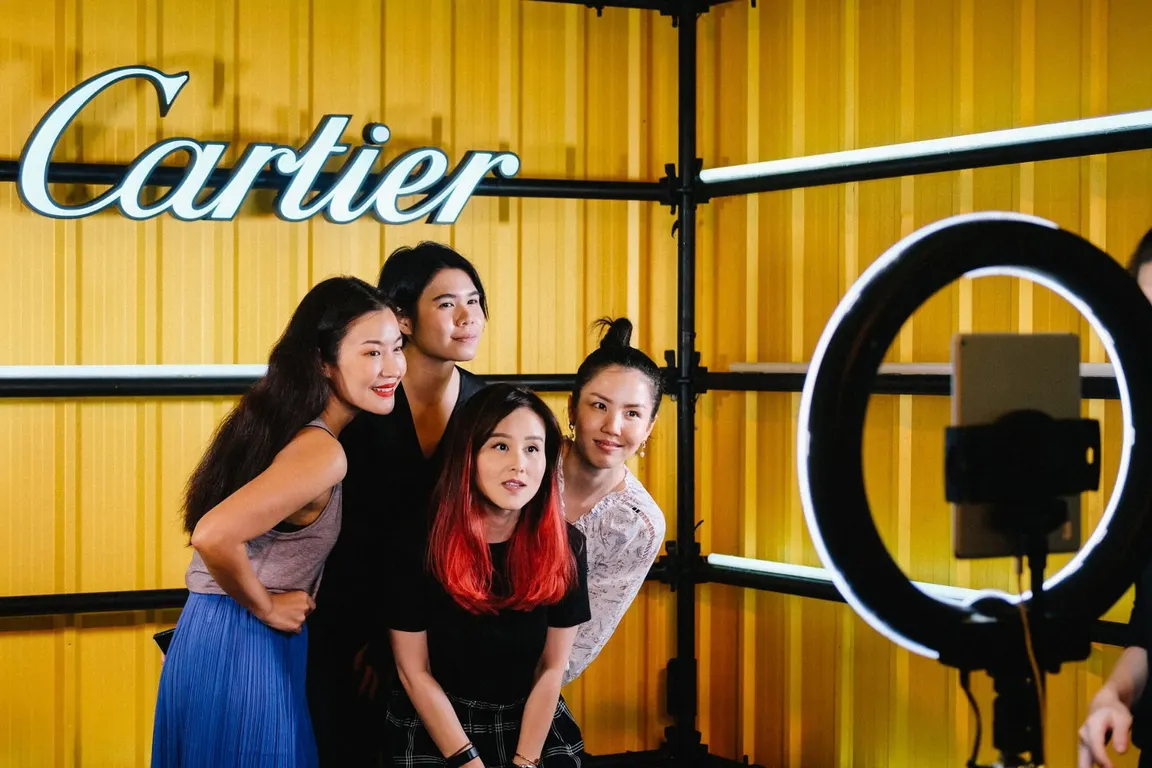
Guests posing at a Cartier brand activation

Event Mode

Weddings, corporate events and brand activations

  • Custom Branding
  • Photo / GIF / Video
  • QR & Online Gallery
  • Multi-Event Operation
  • AI Integration
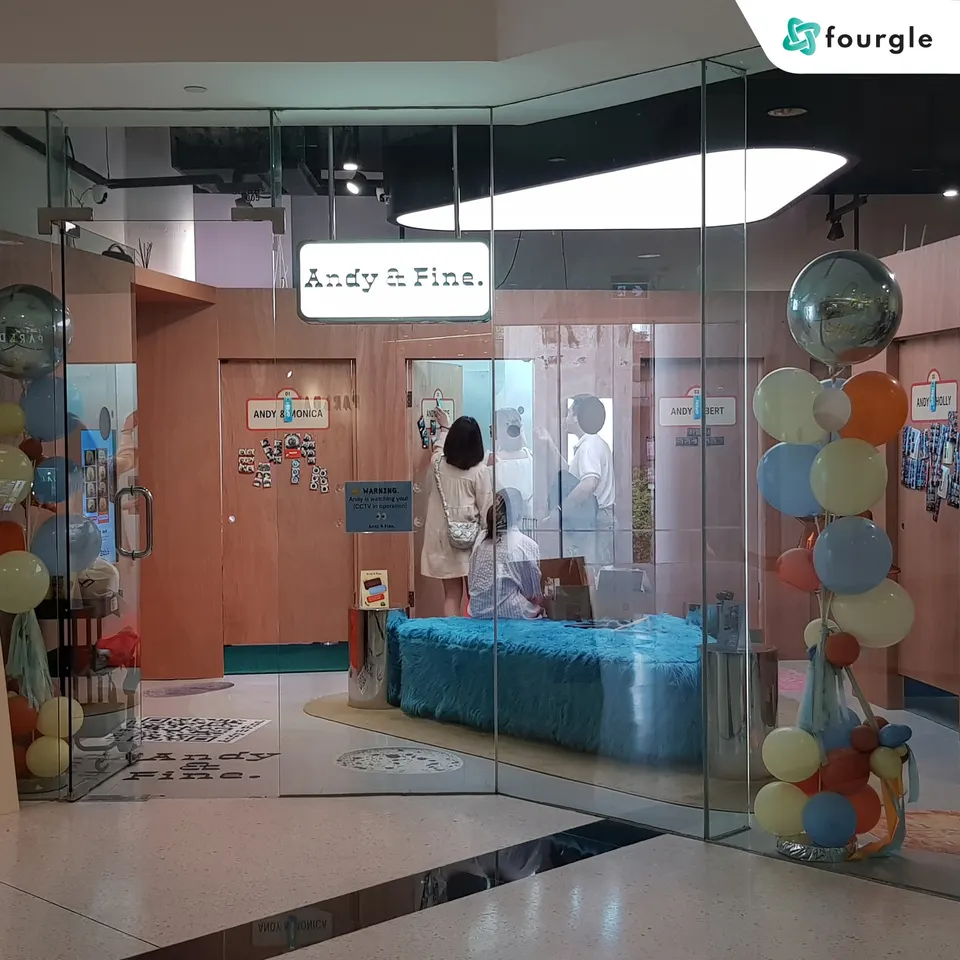
A self-service photo kiosk in a mall

Kiosk Mode

Self-service kiosks and multi-branch operations

  • Self-Service Flow
  • Payment Gateway
  • Instant Print
  • Multi-Location Scale

Whether you open a shop, take on events or place kiosks — operators can use CAP*TURES as their technology core and grow their business their own way.

Start with one booth. Build your own experience business.

Booth app · Windows

Inside the booth app.

The CAP*TURES booth app runs on Windows, and everything is set up from its Settings tabs. Here's what each tab does.

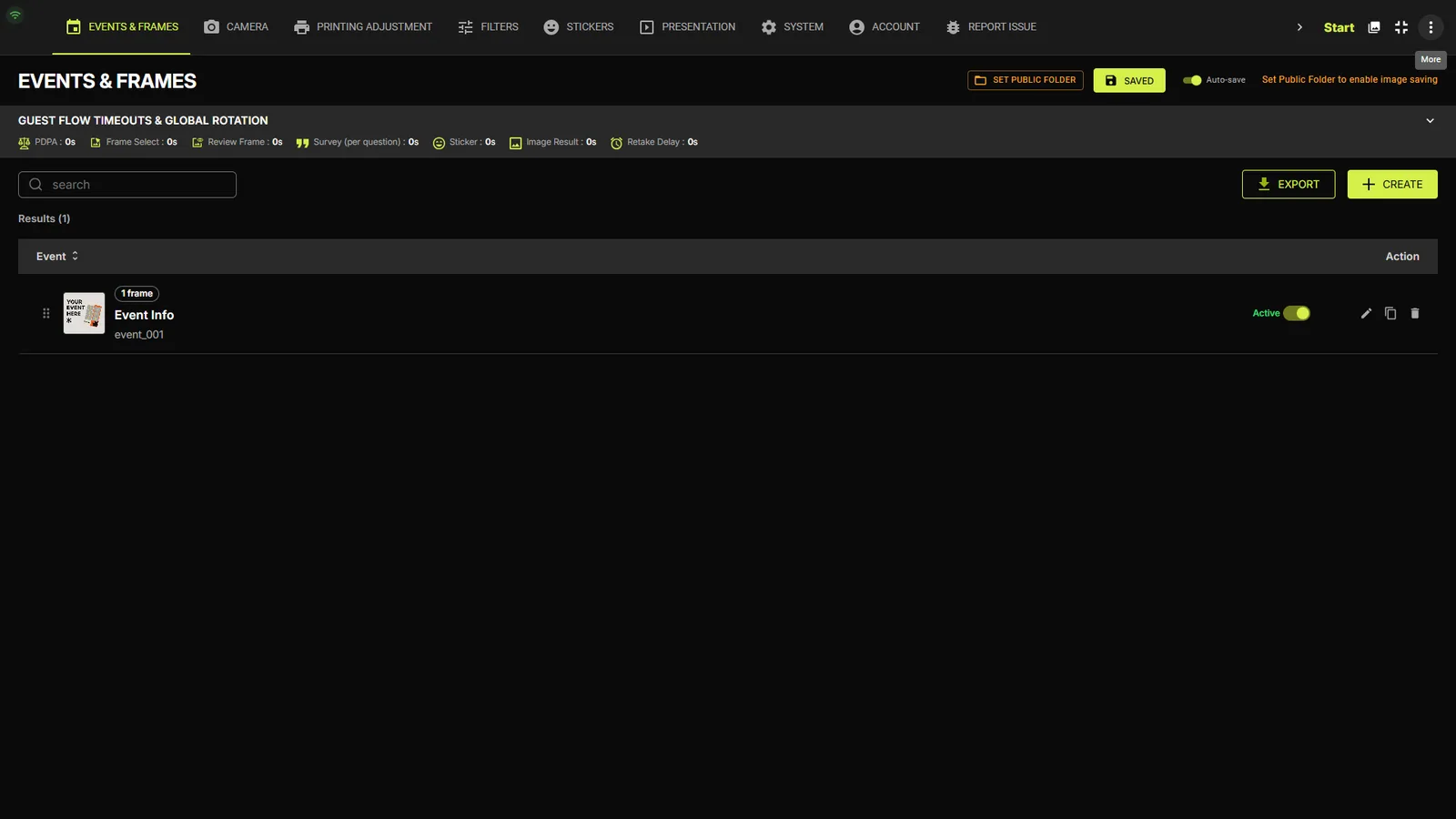
The Events & Frames tab: guest flow timeouts bar, event list with Active toggle, Export and Create buttons
01EVENTS & FRAMES

Events, frames and the guest flow

Every event lives here with its frames. Switch events on and off, build new ones, and move a finished setup to another booth.

  • Event list with an Active toggle, edit, duplicate and delete, plus search and sorting
  • Frames per event, each with its own artwork, price, capture, GIF, printing and survey settings
  • Design Layout opens the Frame Designer: up to 16 photo boxes, per-shot rotation and layers
  • Create events, or export a whole setup (frames, stickers, audio, fonts and settings) as one file and import it on another booth Pro
  • Setup wizard Beta
  • Guest flow timeouts & global rotation: auto-advance timers for PDPA, Frame Select, Review Frame, Survey (per question), Sticker, Image Result and Retake Delay Pro
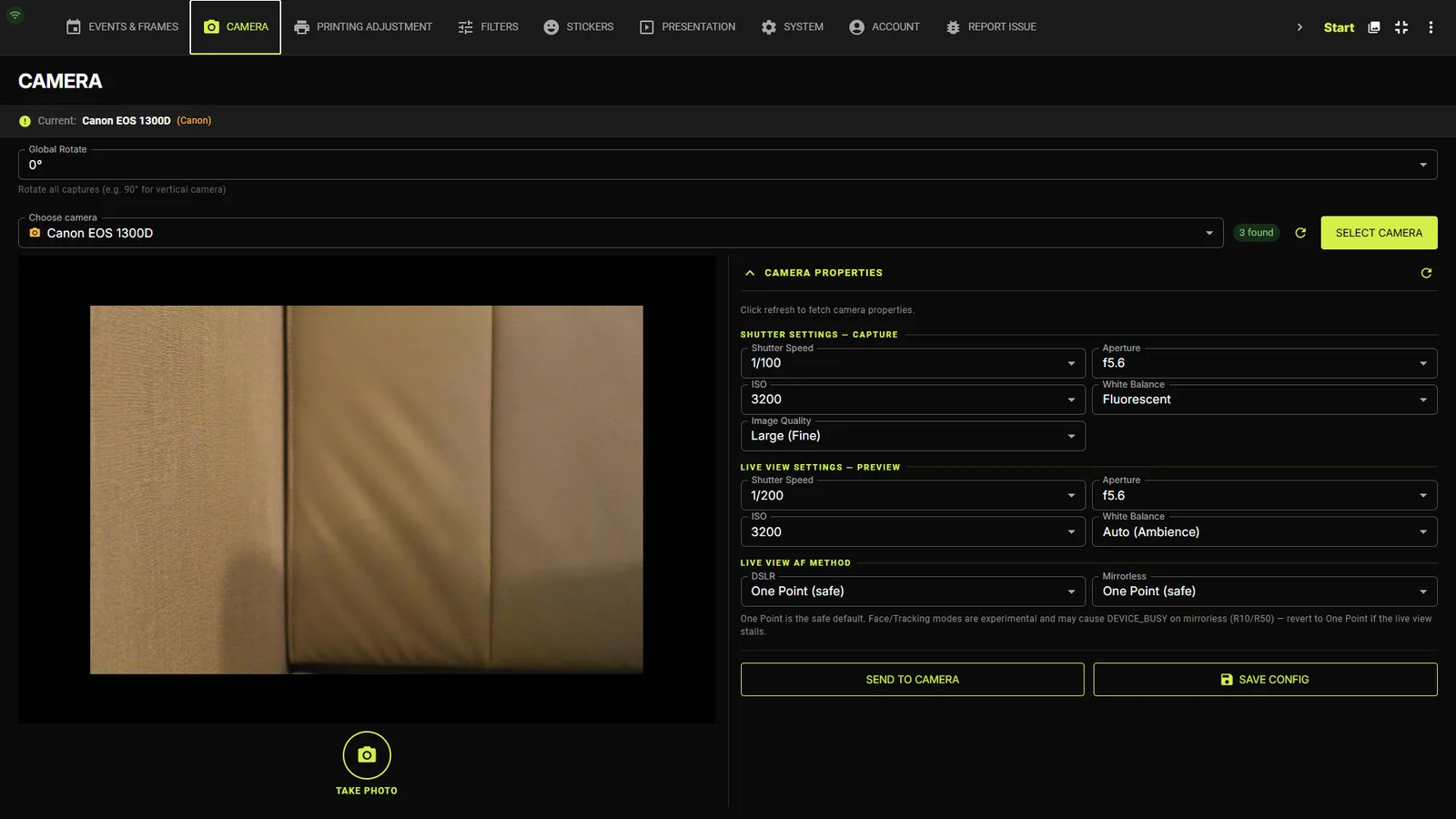
The Camera tab with camera selection, rotation and exposure settings
02CAMERA

Camera control

Canon DSLR and mirrorless bodies over USB, or a webcam — with exposure, focus and rotation set right at the booth.

  • Pick the active camera and set Global Rotate (0° / 90° / 180° / 270°) for vertical mounts
  • Separate exposure for the saved photo and the live preview: shutter speed, aperture, ISO and white balance
  • Image quality, live-view autofocus method, and a test shot without entering the guest flow
  • Two or more Canon bodies, each with its own exposure profile, for dual-camera frames Add-on
  • Automatic recovery: a camera that struggles mid-event switches to a more reliable mode, and cameras reconnect on restart
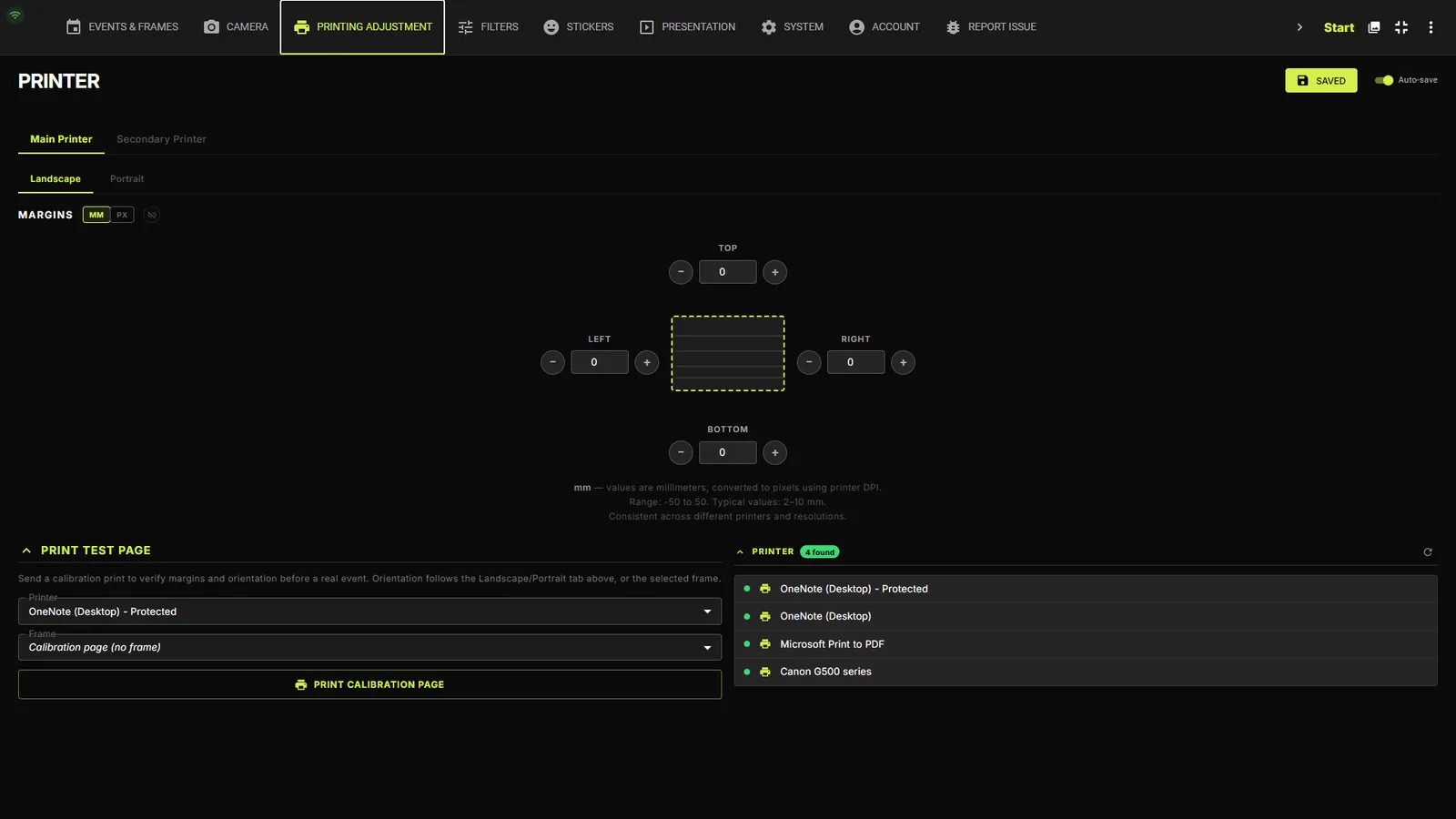
The Printing Adjustment tab with printer selection, offset, scale and test print
03PRINTING ADJUSTMENT

Print calibration

Line every print up with the paper, printer by printer, and know straight away when a printer needs attention.

  • A main printer plus an optional secondary printer
  • Offset X/Y in millimetres, scale 90–110% and rotate 180°, checked with a test print
  • Every printer keeps its own calibration, so swapping printers never loses your setup
  • 6×4" prints at 300 DPI, two-up photo strips, or digital-only frames with printing turned off
  • Real printer status: offline, out of paper, jammed or low on ink
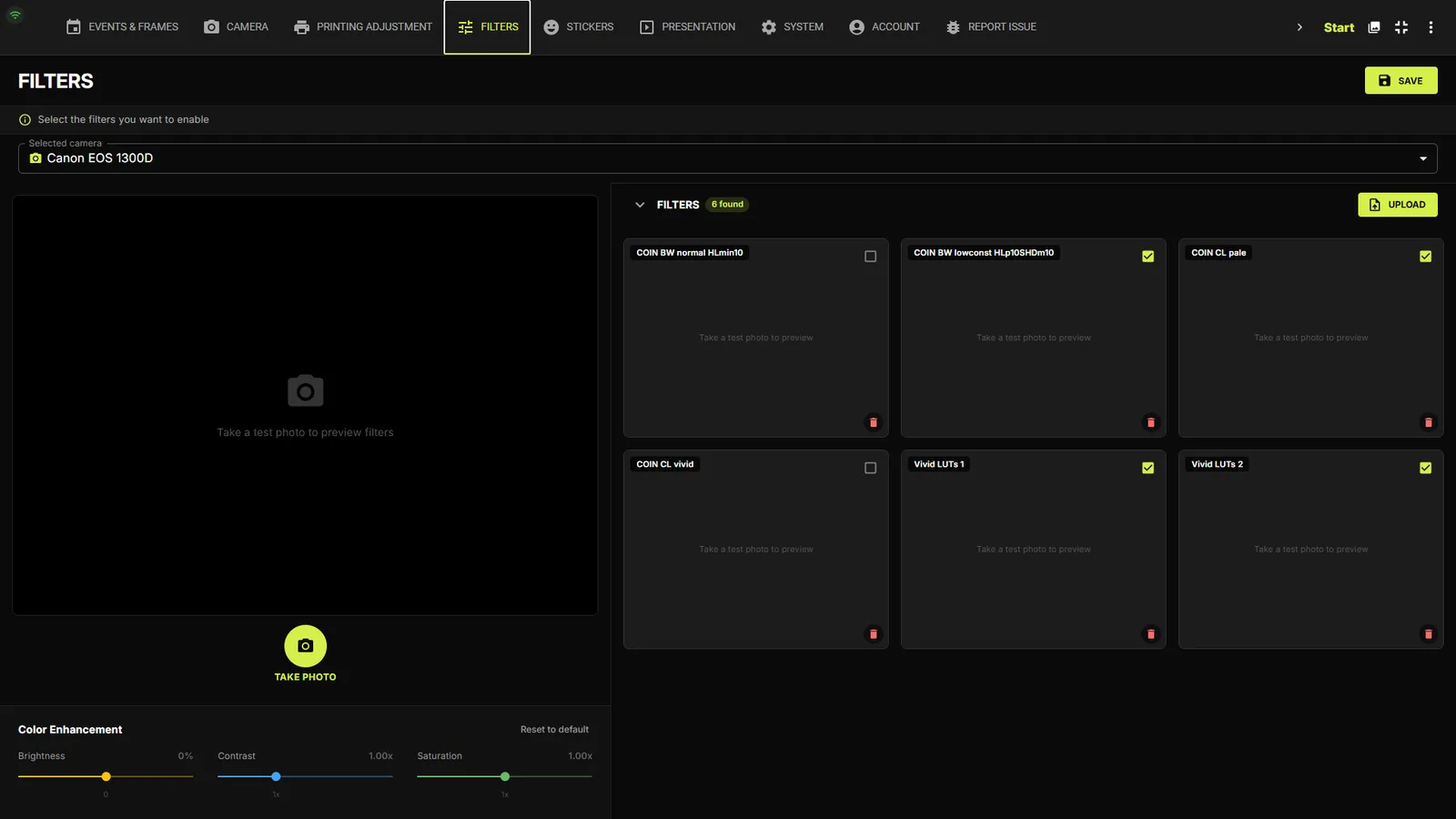
Filter settings with LUT presets previewed on a test photo
04EFFECTPro

Filters & color

The color looks guests choose from after the shoot.

  • Upload .cube LUT files and switch on only the filters you want
  • Preview every filter on a real test shot
  • Color enhancement on top of the LUT: brightness, contrast and saturation
  • Guests swipe through filters with a live preview on their own photos
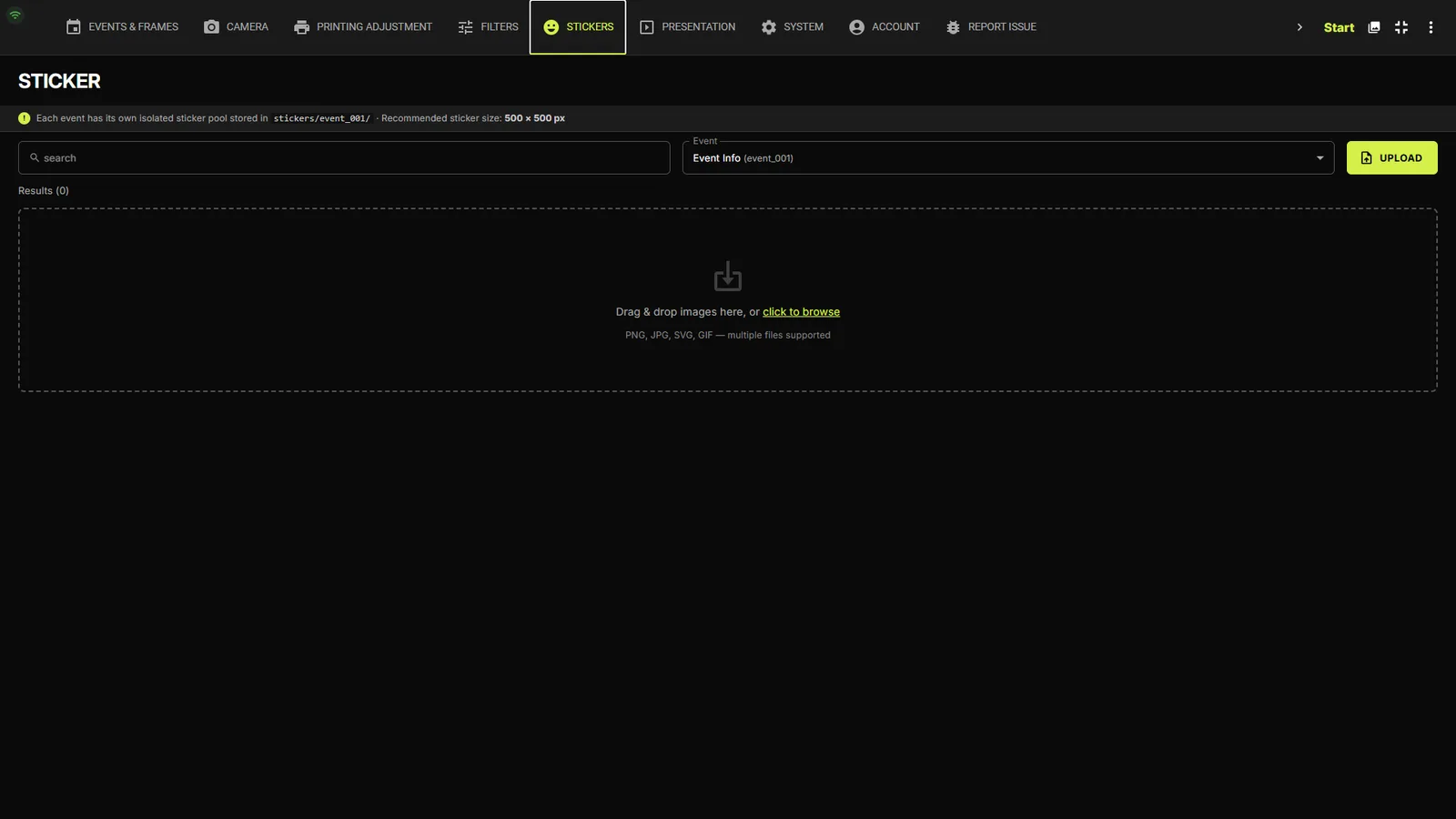
The sticker library tab
05STICKERSPro

Sticker library

Stickers and drawing tools guests use to decorate their photos.

  • Upload PNG, JPG, GIF, SVG or WebP stickers
  • Choose which stickers appear in each event
  • Per frame: stickers only, drawing only, or both
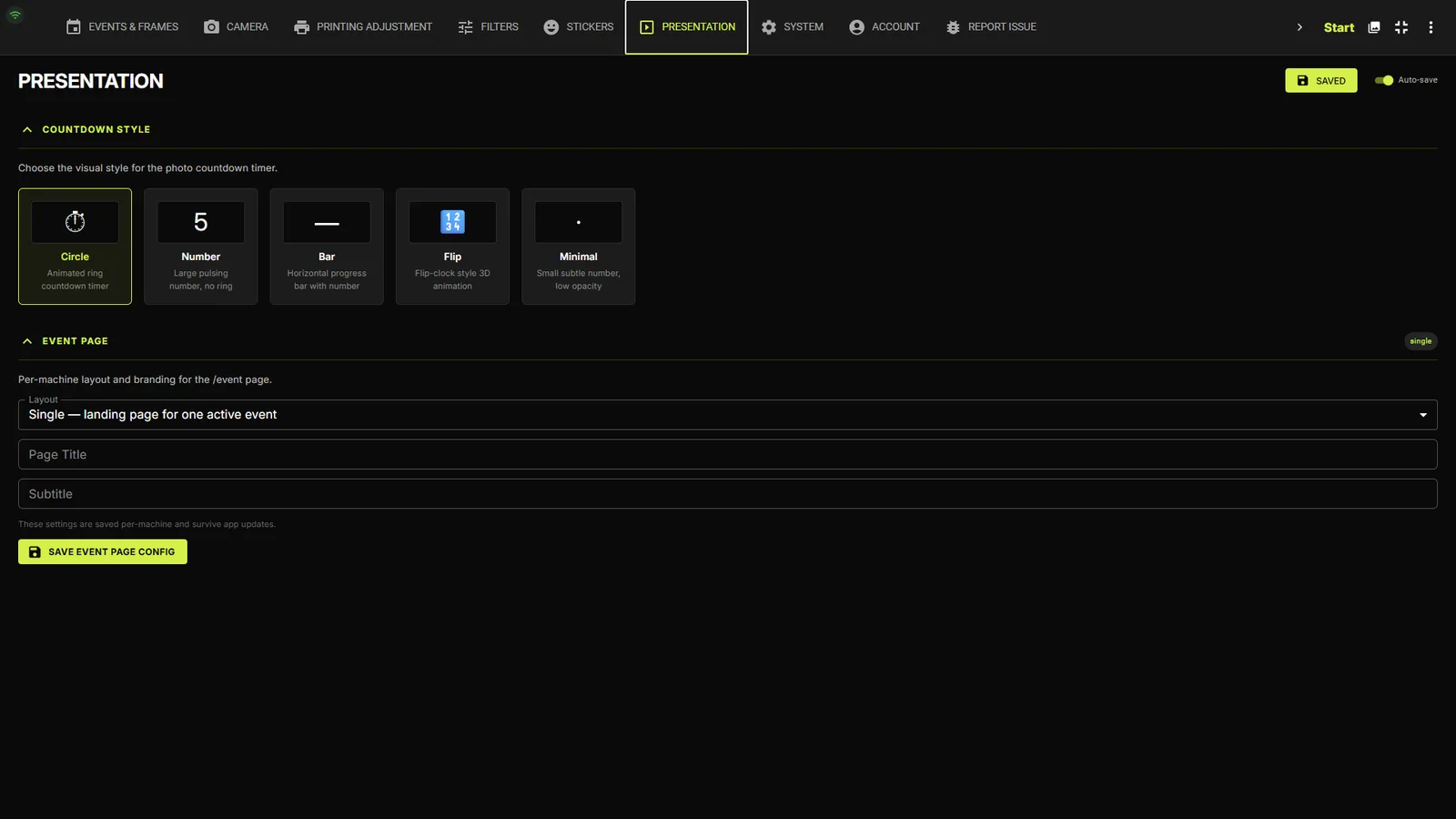
Countdown style picker and event page settings
06ADVANCEPro

Countdown, event page & slideshow

How the booth looks while guests wait and while they shoot.

  • Five countdown styles: Circle, Number, Bar, Flip or Minimal
  • Event page layout, title and subtitle, saved per machine
  • Video gallery and slideshow output: quality, duration and transitions
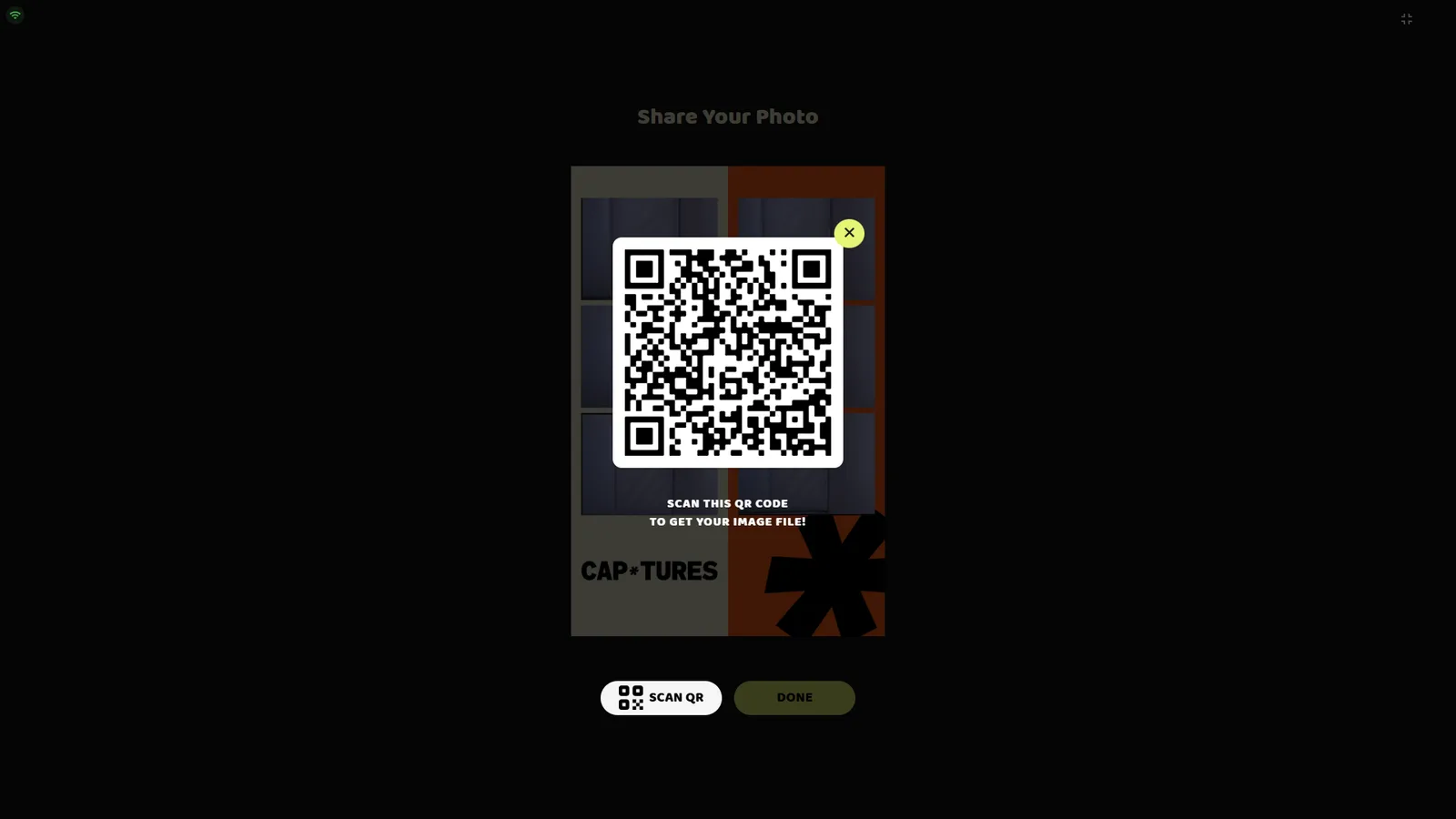
The guest Share QR screen on the booth
The Share QR screen — its text follows your Customization settings.
07CUSTOMIZATION

Your look, your words

Make every guest screen match the event or the brand.

  • Theme, fonts and a custom heading font
  • Edit the text on every customizable page, including the result page and the share QR dialog
  • Your own PDPA wording
  • Separate styles for confirm and cancel buttons
  • Payment tiles show the wording you choose
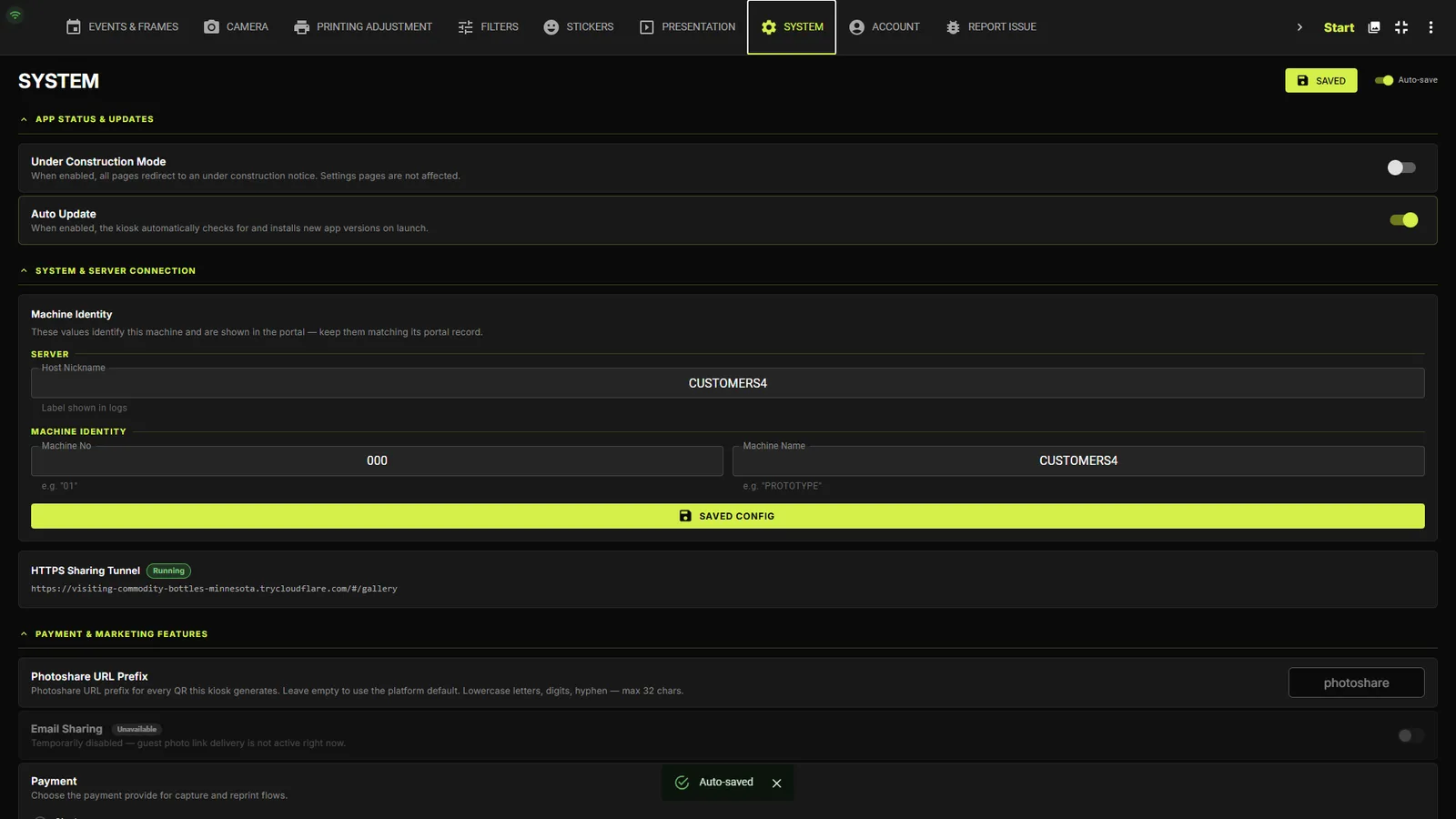
The System tab with app status, updates, payment mode and license
08SYSTEM

App status, payments & updates

Machine-wide settings that keep the booth ready for guests.

  • Under Construction mode shows guests a notice while you work, with Settings still open
  • Auto Update, or accept new versions yourself between events — events, settings and print history are kept
  • Payment mode, coupon toggle and operator PIN Pro
  • Machine name and number that identify the booth in the dashboard, plus the sharing tunnel status
  • License details and a manual update check
Web dashboard

Your dashboard.

Every menu opens without signing in, so you can look around first. Sign in to see your own booths.

Compare plans

Free vs Pro, side by side.

Start free on one machine. Move to Pro when you need sharing, payments and unlimited events.

Swipe sideways to see every plan →

Features and limits on the Free, Pro and Enterprise plans
Feature
Free
Start on one machine
Pro
Priced per machine
Enterprise
Everything in Pro + custom
Features
Photo captureIncludedIncludedIncluded
PrintingIncludedIncludedIncluded
QR download & sharingNot includedIncludedIncluded
RetakesNot includedIncludedIncluded
Color filters (LUT)Not includedIncludedIncluded
StickersNot includedIncludedIncluded
Email sharingNot includedIncludedIncluded
Video resultNot includedIncludedIncluded
SlideshowNot includedIncludedIncluded
ReprintNot includedIncludedIncluded
Membership pointsNot includedIncludedIncluded
Limits
Connected machines1Machines you buy + 1 backupCustom
Prints per event25UnlimitedUnlimited
Events1UnlimitedUnlimited
Frames per event1UnlimitedUnlimited
Frame Studio templates350Unlimited

Coupon codes and multi-camera control are add-ons, sold separately.

See pricing

Ready to run your booth like a business?

Download the booth app and start on the Free plan today. Upgrade when your events need more.